matplotlib with wxPython GUIs
August 1st, 2008 at 9:24 amAs I wrote in the last post, I found matplotlib to be a very nice library for plotting. So, considering that I really plan to use it for my Python programs at work, I’ve spent a little time to write some proof-of-concept code (I do this often when learning a new library. Nothing serves as a better reference than your own code).
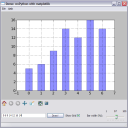
The first demo I wrote displays a bar plot, allowing the user to change the data shown on it in real-time, as well as using the matplotlib navigation toolbar and saving the plot to a file. Additionally, it allows some basic interaction with the plot (clicking on a bar brings up a message box) and playing with the plot’s properties like the grid and the width of the bars.
You can download this demo from here.
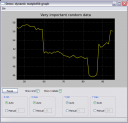
The second demo is rather more sophisticated. It explores the dynamic abilities of matplotlib, which allows smooth and flicker-less animation. This demo features a “live” graph that runs continuously (unless the user asks it to pause). The user can explore the graph by selecting limits for the X and Y axes, and select whether he wants to see the grid and the X axis labels.
It can be downloaded from here.
Related posts:

August 1st, 2008 at 10:54
Awesome, thanks.
August 6th, 2008 at 00:46
Fantastic. I’ve been using matplotlib for a while, and have done a bit of wxPython, but have never put the two together. This should get me started. Many thanks.
August 12th, 2008 at 17:35
Live graph one failed with :
RuntimeError: xdata and ydata must be the same length
August 12th, 2008 at 20:38
Chris,
Are you sure you didn’t change anything and / or have the up-to-date version of matplotlib ?
The only two places in the code that populate the plot with data are:
1. In the end of init_plot()
self.plot_data = self.axes.plot( self.data, linewidth=1, color=(1, 1, 0), )[0]This only fills in the y axis, x will be automatically done by axes.plot
2. In the end of draw_plot()
self.plot_data.set_xdata(np.arange(len(self.data))) self.plot_data.set_ydata(np.array(self.data))These two obviously create arrays of the same length.
August 13th, 2008 at 01:25
Sorry – was using latest marked stable on Gentoo 0.91.2 – update to matplotlib-0.98.1 fixed it.
Afaik the problem was between those two lines of draw_plot. Once you updated x – and before you updated y – the two didn’t match. Obviously now matplotlib handle it safely.
Thanks
September 10th, 2008 at 14:54
Eli, looks great! I was just Googling around for wxPython & matplotlib coming across these examples; great starting points.
One thing: when trying on my Mac, the second example didn’t fully work: the radio buttons weren’t available, and I saw only one run of the live data. Could that be because of the wxPython version that ships with OS X 10.5? It’s 2.8.4.0, matplotlib is 0.98.0. Or is it just intrinsic to the OS X GUI?
September 10th, 2008 at 17:40
Evert,
Your version of wxPython does look a bit old…
Though I don’t know much about OS X
September 10th, 2008 at 22:08
Tried with a up-to-date version (2.8.8.1) of wxPython; no luck.
So I guess it’s more intrinsic to OS X/Aqua or so.
If I ever find out, I might come back here to let you know; but that could be a few months (no hurry getting this right, as I don’t need it yet. I’m just playing around right now).
September 15th, 2008 at 18:42
Eli, for your (and possibly other people’s) records: I now know what caused this.
wxStaticBox/Sizer needs to be created before any of the controls inside it are created, otherwise it’ll draw on top of those of controls, and while you may be able to see them, you cannot “reach” (click) them. MS Windows (XP) is apparently a bit more forgiving there, so it worked for you (or it’s actually broken there, as I don’t know what’s the correct way to do this); apparently, with GTK it can even crash.
So, the solution is to take the following two lines in the BoundControlBox’s __init__() method (wx_mpl_dynamic_graph.py), and move them up, just before the self.radio_auto is created:
self.value = initval box = wx.StaticBox(self, -1, label) sizer = wx.StaticBoxSizer(box, wx.VERTICAL) self.radio_auto = wx.RadioButton(self, -1, label="Auto", style=wx.RB_GROUP)Then it works splendidly for me, and probably also on other platforms/window environments.
More details at the wxwidgets.org wiki or eg this post in a mailinglist.
September 19th, 2008 at 09:18
Evert,
Thanks. I’ve updated the file to reflect this fix.
September 30th, 2008 at 16:34
Exactly what I was looking for. I have graphs in my application, but not on figurecanvas. I was just trying to get a barchart with wx and was headed down the wrong track. Snippits will save me some time. Thanks
January 8th, 2009 at 17:44
This is a fantastic starting place for embedding the power of MPL into WxPy applications. I cannot thank you enough for getting me started and hopefully you will not mind if I shoot you notes here and there every so often.
- Jeff
February 20th, 2009 at 20:59
thx a lot! i’m doing program to communicate with usb recorder (k8047d) and need to do real-time graph. your example is very useful.
February 20th, 2009 at 21:02
оказывается вы знаете русский (прочитал профиль). так что спасибо еще раз – на русском теперь)
February 20th, 2009 at 22:12
Не за что
March 6th, 2009 at 04:10
вот сел наконец разобраться с графиками, но что-то не получается организовать построение нескольких графиков на одном(
очень буду рад если сможешь помочь, т.к. я только начинаю изучать python и не всё понимаю, а туториал по matplotlib как-то сложен.
для простоты я выкинул всё ненужное из примера и оставил только сам график и кнопку пауза. вот что делал потом:
добавил class DataGen2(),
в GraphFrame() добавил self.datagen2=DataGen2(), self.data2 = [self.datagen2.next()],
в init_plot() по аналогии добавил self.plot_data2,
а вот дальше что делать с draw_plot() не знаю. пробовал добавить
self.plot_data2.set_xdata(np.arange(len(self.data2)))
self.plot_data2.set_ydata(np.array(self.data2))
но ничего дельного из этого не вышло((
если что вот полностью код – http://paste.org/5716
в общем если будет время глянь пожалуйста.
March 6th, 2009 at 07:03
@razr,
Answer: http://paste.org/5723
Сделай diff чтоб увидеть что я добавил
March 6th, 2009 at 15:24
спасибо. только я говорил немножко про другое – чтобы был один график и на нем строились две функции, а тут выходит два графика.
или это нельзя сделать?
March 7th, 2009 at 08:57
Then just change the creation of self.plot_data2 in init_plot, so that it’s created in self.axes and not self.axes2
If you don’t need two subplots, just remove axes2 altogether
March 7th, 2009 at 13:09
thx a lot)
April 27th, 2009 at 23:58
Your second example is almost exactly what I’ve been looking for; I had no idea matplotlib would actually perform that well being updated live in WX. Thank you so much for posting such a clear example!
May 5th, 2009 at 10:34
Nice lib…
Полезная библиотечка!
June 1st, 2009 at 14:37
hi. i want to show in x axe “1,2,3…” instead of “10,20,30…” in live plot program (for this timer it’s time in seconds). how can i do this?
June 2nd, 2009 at 17:45
@p4free,
I think that the axes object is trying to space out the grid automatically, depending on the range of your data in X. If you show less data at the same time, you’ll see the units less spaced out.
June 5th, 2009 at 04:07
Great examples (and thanks for putting them in the public domain for easy reuse). The scrolling plot didn’t initially work on my installation, but it was easily fixed by changing the lines
self.plot_data.set_xdata(np.arange(len(self.data)))
self.plot_data.set_ydata(np.array(self.data))
to the single line
self.plot_data.set_data(np.arange(len(self.data)), np.array(self.data))
From the comments, I see this modification is only needed in older versions of MPL. (Clearly, the older versions MPL is updating x and y one at a time and at the first update the lengths don’t match.)
June 26th, 2009 at 15:29
Please help
I’m trying to make dynamic graph of data comming from intrument connected via GPIB. When I run the script I get:
ValueError: need more than 0 values to unpack
#!/usr/bin/python
from pylab import *
from visa import *
keithley = instrument(“ASRL4::INSTR”)
print keithley
# adress instrumentu nastawiony na 16
keithley.write(“++addr 16\n\t”)
keithley.write(“*rst; status:preset; *cls”)
#keithley.write(“trigger:source bus”)
#keithley.write(“trigger:delay %f” % (500.0 / 1000.0))
#keithley.write(“initiate”)
#keithley.trigger()
#keithley.wait_for_srq()
ion()
hold(False)
n=1
while 1:
voltages=keithley.ask_for_values(“trace:data?”)
d=float(sum(voltages)/len(voltages))
plot(n,d,’bo’)
n=n+1
July 7th, 2009 at 15:27
Thank you! Very helpful!
July 9th, 2009 at 05:08
This is great. I used your code for my Arduino project, write-up here.
July 27th, 2009 at 23:33
This examples are the best on internet! Thanks! But, do you know an method to use less CPU? I need to plot some data from a serial sensor but matpotlib uses a lot o CPU. Thanks Again!
July 28th, 2009 at 14:49
matplotlib is quite CPU-hungry. For more performant code consider using PyQwt (search my blog for some relevant code).
July 29th, 2009 at 03:33
Very nice examples! Have you tried shrinking the window size though? For me the contents below the toolbar get merged with the canvas, not sure if it’s just my environment or not.
July 30th, 2009 at 00:20
This is useful stuff. Thanks for sharing!
November 12th, 2009 at 18:13
Dear Eliben,
I’m novice to matplotlib and python . I want to interface your program to my application which generates the ECG data in text format.I want do show it in dynamic/animated way as same u demonstrated in drawing a dynamic mpl (matplotlib) plot in a wxPython application.My query is if I have one text file conating all numerical data values known as ecg.txt conataining only one column.
How I can I put in following code snippet written by you
class DataGen(object):
“”" A silly class that generates pseudo-random data for
display in the plot.
“”"
def __init__(self, init=50):
self.data = self.init = init
def next(self):
self._recalc_data()
return self.data
def _recalc_data(self):
delta = random.uniform(-0.5, 0.5)
r = random.random()
if r > 0.9:
self.data += delta * 15
elif r > 0.8:
# attraction to the initial value
delta += (0.5 if self.init > self.data else -0.5)
self.data += delta
else:
self.data += delta
November 13th, 2009 at 07:34
@yogesh,
DataGenis a simple object on whichnextis continuously called to get a new data point. All you need to plug in another is to re implement it and provide thenextmethod. In you initialization read the input file and then just provide the next value from it on each call ofnext.December 1st, 2009 at 17:54
Eli,
Excellent code that will help me no-end in my application.
What is the easiest way to get this to get this to display an incoming data stream via an np array?
January 12th, 2010 at 15:16
Excellent code, save me a lot of time. Thank you
February 14th, 2010 at 14:05
Hi Eli,
Great example, helped me out a lot.
I’m currently working on an application to display a live plot of measured sEMG values for a biofeedback system to assist in the rehabilitation of patients with dysphagia (swallowing disorder).
Would be ok with you if I use your code (somewhat modified) to display the sEMG waveform? I will credit your name and website in the code if you say yes.
February 14th, 2010 at 18:51
@Ben Han,
Sure thing! The code is in the public domain, so you may use it, with or without attribution.
April 3rd, 2011 at 21:00
Hi Eli,
Great post you have! Sorry i’m a total beginner and i wanted to obtain the serial data and the time from the graph and save it to a text file. How can i do it? Greatly appreciate your advice!
Best Regards,
Q.K
April 5th, 2011 at 18:28
Q.K,
You should just skip the GUI then and write directly into a file.
April 6th, 2011 at 07:03
Thanks Eli ! =)
April 18th, 2011 at 06:08
Thanks for your examples – it enabled me to figure out how to add a Matplotlib widget to Pythoncard. See:
https://sourceforge.net/tracker/?atid=369015&group_id=19015&func=browse
April 21st, 2011 at 04:15
Hi Eli i used your code to graph real time data i am getting thru a serial port and it works great but now i am trying to embed it online on a website do u have any ideas on how to do that since you seem to know python really well.
April 21st, 2011 at 07:09
Ahmad,
For real-time plotting on the web you’ll have to look at one of the dynamic Javascript plotting/charting libs. This has much less to do with Python now – since the Python part in the backend won’t be much different – just pumping the data to the client-side (which will in all likeness request it via AJAX).
May 15th, 2011 at 09:35
Thanks for posting this – I’m would like to modify so that data read from a serial port is plotted, but can’t see how to get this data into the plot. Is it easily achieved for someone with very limited python skills?
May 15th, 2011 at 16:55
icenov,
You may be interested in this post, with its accompanying code sample
May 20th, 2011 at 14:02
Thanks Eli. I’ve had a quick trial, but note that serialutils.py calls in some windows specific modules like _winreg, and I am using Linux so I get an error. I’ll see if I can get around it.
May 27th, 2011 at 00:22
hello eliben! great post! i am new to wxPython programing, and my task (at university) is to do a genetic based algorithm to calculate an aproach to the “brachistochrone curve”.
i made a GUI already to input the values i need ( in wxPython, used the beginner manual available at the wxPython page, and it went pretty well).
But now, i wanted to draw a live chart to see how it evolute. as i saw in your code, you only generate the y’s values (randomly), but, in my work, i need to provide the x’s and the y’s to plot a correct graph…
the beginning and the end point are allways the same, only changing the middle coordinates of the array… can u help me with the changes?
sorry for the long post, hope you can help me…
cheers
May 27th, 2011 at 00:23
forgot to say, the array have allways the same size..
June 1st, 2011 at 03:54
Hi Eli,
Thanks for the code, really helped a lot with my TI Chronos. I’m kinda new to matplotlib and can’t figure out how to plot all three accel values in the same graph (like in the Chronos control center).
July 28th, 2011 at 14:40
This example and another one i used before with mathplot and pylab [http://sourceforge.net/projects/ommultimeter/] are too slow for realtime data visualization.in fact i have to through out some data each time i want to read new one from the serial port.any idea’s for a faster method in python?
i have seen some examples in C++ and java that actually do the work but i”l be disappointed to see python actually has a problem here
July 28th, 2011 at 16:06
Nima,
Yes, matplotlib is a bit sluggish for real-time plotting. For that, I recommend using PyQwt. There’s a post in my blog about live plotting from the serial port: http://eli.thegreenplace.net/2009/08/07/a-live-data-monitor-with-python-pyqt-and-pyserial/
July 28th, 2011 at 22:05
Hi,
Amazing post. What I need to do is to use this for the dynamic plotting of ECG data acquired through pydaqtools wrapper.
I have modified the DataGen class as you had mentioned in a previous comment as follows:
Output:
Lines which are causing the problem are those written to get the max and min point before plotting:
I think where the problem might lie is because the self.data is now an array.
Do you see the solution to this?
Thanks a lot….
//Kousik
July 28th, 2011 at 22:11
Hi,
And one thing I forgot to mention is that I am using NI 6008 and hence I use the buffer in the DAQ card for buffered signal acquisition.
Thanks …
//Kousik
July 29th, 2011 at 01:28
Kousik,
Not sure what you’re trying to do. An instance of
DataGenmust return a single value (a scalar) each timenextis called. This is the value plotted at that point in time. It can’t be a list/array, since how do you plot that?August 1st, 2011 at 11:36
Eliben,
Yes. I got that point. But the problem for me is that I will have to be sampling at around 1kHz atleast and I think there is a buffer overflow after a few seconds, which means I will have to plot a lot faster.
That is why I would like to plot the data in small chunks.
August 12th, 2011 at 16:35
Hey eli,
thanks for the great website and the huge repository of useful tutorials. While developing my own application for display of several dynamic plots I am having a problem making my axes and line variables available to the timer update function.
The initialisation of the plots works fine but when I want to access the axes/line variables in the update function whether I do it with global variables or self i always get not defined errors though even sometime the program plots the charts while saying it doesnt know the variable it is obviously using. Myy code looks something like this:
What is the best way to get it done?
August 12th, 2011 at 20:42
defc0n1,
I see you try to access
axes1in theon_redraw_timermethod? But this variable isn’t defined in that method, so you’ll get an error. To share some data between methods of an object, they should be made attributes and placed inself.August 17th, 2011 at 16:54
Eli, love your work!
I would like to setup this script to read and plot all of the andruino analog ports simultaneously, sort of like an oscilloscope. I have a different sensor on the same scale on each port, I am comparing them. I can send them to the serial as an array already and have played at hacking the code… however, I am missing something and need some direction.
Could you please suggest the best way to code the following;
1) a stack of individual plots?
2) a single plot containing the six port values?
3) dynamically select a single variable in the array to display?
August 18th, 2011 at 05:53
belgaroo,
Sorry, it’s been a while since I played with matplotlib. You’ll lave to look these up in its docs. A good place to start is the gallery - where you see something that looks relevant and can then examine its code (for example, single plot with multiple lines).
August 19th, 2011 at 13:18
No worries Eli, I have been playing with the wx and qt examples you have given and think I have found the way forward… Qt
November 29th, 2011 at 17:00
Hey i can’t veiw the menu bar on the plot….none of the menubar codes of wxpython work properly on Ubuntu 11.04..any idea why???
thanks
January 11th, 2012 at 18:20
January 11th, 2012 at 18:57
Fahri,
I agree it’s probably not the best code in terms of style – I was pretty new to Python when writing it
Since it’s just localized to a small method, it’s not too bad though.
January 23rd, 2012 at 10:39
Regarding the CPU-hungriness of matplotlib,
I’m feeling there is something strange in the code in the second example:
my CPU runs 100% on the code even if I pause it .
Made a try and modified it to plot less frequently – the same problem still applies.
I’m running it on Linux, could anyone confirm or deny whether this also applies for the code when run on Windows platform?
More specifically;
somebody, please run the second example while looking at the cpu usage in task manager.
Do you see full cpu usage as a result of running the graphing code in the second example?
Try the pause button – does it change?
Thanks,
Manni
February 8th, 2012 at 22:25
Eli,
maybe you could do the simple run test and check the CPU as described in my post above.
I don’t seem to get anyone else trying this for me.
As I gradually get more confident with Python coding I would like to try to debug the code and find out what makes it (as I suspect) to loop.
I would just like to be sure that it just isn’t some porting issue to Linux and my Python version that’s tripping it.
February 9th, 2012 at 05:45
Manni,
I’ll try find time for it, though I’m doubtful it will be possible. It’s been years since I last touched wxPython.
April 12th, 2012 at 09:06
When I ran the first program in Linux, when ‘on_pick’ is called (i.e., on clicking on the bar chart), mouse is captured and clicks are not processed anymore.
I didn’t know what the problem was, but I split the ‘on_pick’ method and called dialog opening code after a 100 milli sec delay….and it works just fine now!!!
Here is my modified code :
April 29th, 2012 at 14:23
I get this error when i run the code for second time
Traceback (most recent call last):
File “C:\Python26\graphtest2.py”, line 337, in
app.frame = GraphFrame()
File “C:\Python26\graphtest2.py”, line 123, in __init__
wx.Frame.__init__(self, None, -1, self.title)
File “C:\Python26\lib\site-packages\wx-2.8-msw-unicode\wx\_windows.py”, line 505, in __init__
_windows_.Frame_swiginit(self,_windows_.new_Frame(*args, **kwargs))
PyNoAppError: The wx.App object must be created first!
May 10th, 2012 at 12:11
Hello, greetings and thanks,
I need your help! I’m a python beginner.
How can, with your code, produce the same effect but with two different generated lines.
Thanks in advance.
May 10th, 2012 at 12:52
Sorry, I’m referring to matplotlib with wxPython GUIs example second demo.
Thanks
July 5th, 2012 at 01:46
Just wanted to give a huge shout-out here. I modified your code a bit to work with multiple lines of data and to get data from a serial port. I can perform live plotting of signals that my microcontroller sends out now.
My work is here:
http://blog.jwcxz.com/?p=941
My fork of your code is here:
https://github.com/jwcxz/hdctrlr/blob/master/plot/plot.py
July 5th, 2012 at 04:14
JWC,
Thanks for the feedback!
December 15th, 2012 at 09:01
Great. Very nice examples.
I tried a horizontal graph instead of a vertical graph. How can I do that?
You should post more exciting examples like these you posted here.
Congrats!
December 18th, 2012 at 03:48
Very useful example. I am trying to import it in Python Shell as a Notepad++ module but it doesn’t work. Could you give me an advice? Thank you.